What Is a Password and How to Create Strong Passwords for Better Security
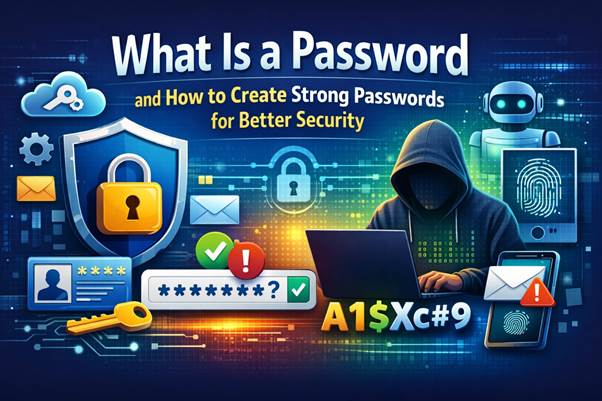
A password is one of the most fundamental elements of modern cybersecurity. Every time you log into a device, website, or application, you use a password to verify your identity and protect your information. Whether you are accessing Windows, Android, Linux, MacOS, or services developed by companies like Microsoft, Google, IBM, and Oracle, passwords play a critical role in keeping accounts secure.
In today’s digital environment, our lives revolve around online services. We store documents in the cloud, exchange files in PDF format, perform programming tasks, and manage sensitive data across devices powered by Intel processors with large amounts of Ram. Because of this increasing reliance on technology, protecting digital accounts has become more important than ever.
Cybercriminals constantly attempt to break weak passwords using automated tools and sophisticated attacks. Technologies such as Artificial Intelligence are now being used both to enhance cybersecurity and to detect potential vulnerabilities in user accounts.
Creating and managing strong passwords is therefore a critical skill for anyone using modern technology. This guide explains what passwords are, why they matter, and how to create strong passwords that protect your online identity.
What Is a Password and Why It Is Important
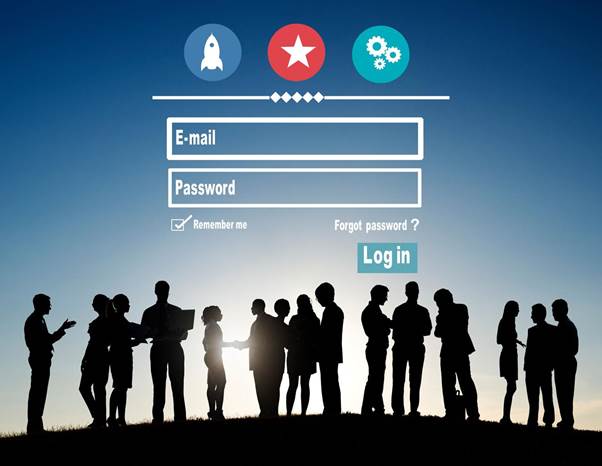
A password is a secret combination of characters used to authenticate a user’s identity when accessing a digital system. When you enter a password on a website, computer, or mobile device, the system compares the entered value with the stored encrypted version of that password. If they match, access is granted.
Passwords are widely used across different operating systems and services, including Windows, Linux, MacOS, and Android devices. Companies such as Microsoft, Google, IBM, and Oracle rely heavily on password authentication to protect user data stored locally or in the cloud.
In modern computing environments, passwords help secure many types of resources, including:
- Email accounts
- Online banking platforms
- Social media profiles
- Business databases
- PDF documents with restricted access
- Development platforms used for programming
Because so much valuable information is stored online, hackers constantly attempt to compromise accounts by guessing or stealing passwords. If attackers gain access to your password, they may be able to read private messages, steal financial data, or gain control over your accounts.
Security risks increase even more when people reuse the same password on multiple websites. If a single service experiences a data breach, attackers may attempt to use the stolen password on other platforms. This type of attack is known as credential stuffing and is one of the most common forms of cybercrime.
For this reason, strong passwords are essential for protecting sensitive information and maintaining online privacy.
Characteristics of a Strong Password
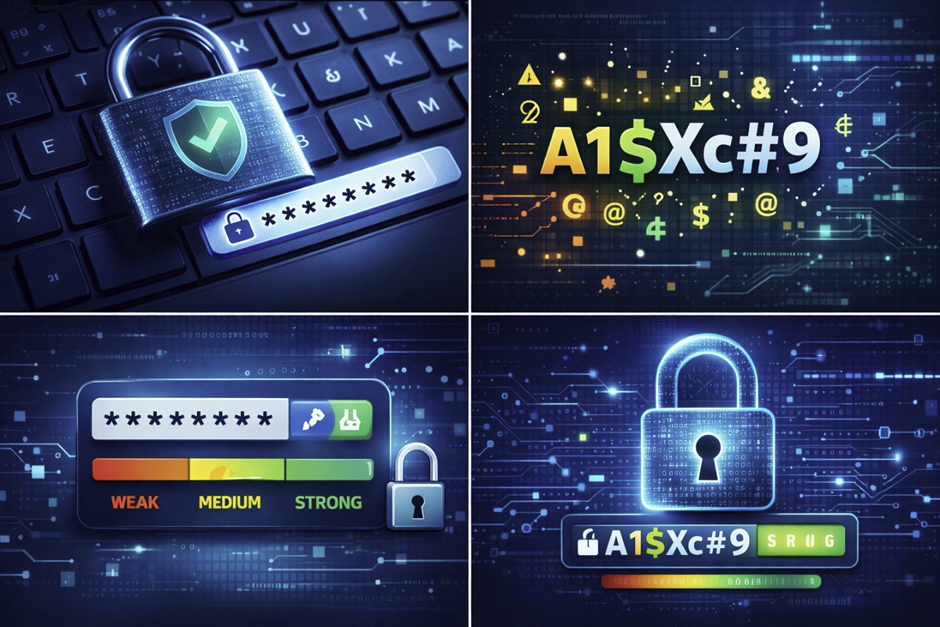
A strong password is difficult for attackers to guess or crack using automated tools. Security experts recommend several key characteristics that make passwords more resistant to cyberattacks.
Length
The most important factor in password strength is length. A secure password should contain at least 12 characters, although 14 characters or more is even better.
Long passwords are harder to break using brute-force attacks, where hackers use software to test millions of combinations per second.
Character Variety
Strong passwords should include a mixture of:
- Uppercase letters
- Lowercase letters
- Numbers
- Special characters
Using multiple character types significantly increases the number of possible combinations, making passwords much harder to guess.
Avoid Dictionary Words
Passwords should never contain simple dictionary words, names, or recognizable phrases. Attackers often use “dictionary attacks" where they try thousands of common words and variations automatically.
For example, passwords such as:
- password123
- john1985
- admin123
are extremely easy to crack.
Use Passphrases
One effective strategy is to create a memorable passphrase. A passphrase is a longer sequence of words or characters that is easy for the user to remember but difficult for others to guess.
Example:
6MonkeysRLooking^
This type of password combines letters, numbers, and symbols while remaining memorable.
Avoid Reusing Old Passwords
Another critical rule is to avoid reusing previous passwords. If attackers obtain your password from one site, they will attempt to use it on other platforms such as Google, Microsoft, or banking services.
Using unique passwords for each account significantly improves security.
Best Practices for Securing Your Passwords
Creating a strong password is only the first step. You must also manage and store passwords securely to prevent them from being stolen.
Do Not Share Your Password
Never share your password with anyone, including friends or family members. Once another person knows your password, you lose control over the security of that account.
Use Unique Passwords for Each Website
Using the same password across multiple websites is extremely dangerous. If one website suffers a security breach, attackers may attempt to use the same password on hundreds of other platforms.
This technique, known as credential stuffing, is commonly used against popular services such as Google, Microsoft, and social media websites.
Use a Password Manager
Password managers store and encrypt your passwords in a secure database. These tools can automatically fill login forms and generate strong passwords.
Modern browsers such as Microsoft Edge or Google Chrome also include built-in password management features.
Enable Multi-Factor Authentication (MFA)
Multi-factor authentication adds an extra layer of protection by requiring additional verification beyond a password.
Common MFA methods include:
- One-time codes sent to mobile devices
- Authentication apps
- Biometric authentication such as fingerprints
Even if someone steals your password, MFA can prevent unauthorized access.
Change Passwords After Security Incidents
If you suspect that your password may have been compromised, change it immediately. Security alerts from companies like Microsoft, Google, or Oracle should never be ignored.
Avoiding Phishing and Social Engineering Attacks
Sometimes attackers do not need to crack passwords at all. Instead, they trick users into revealing them through deception. This tactic is known as phishing or social engineering.
Phishing attacks usually appear as emails or messages pretending to be from trusted companies such as banks, online stores, or technology companies like Microsoft or Google.
The attacker may ask you to:
- Confirm your password
- Verify account information
- Click on a suspicious link
- Download an attachment
These messages often look authentic, including logos and formatting similar to official communications.
How to Protect Yourself
Follow these guidelines to stay safe:
- Never share your password through email or phone calls.
- Avoid clicking links in suspicious emails.
- Always visit websites by typing the official address manually.
- Verify suspicious messages directly with the company.
Security professionals working at companies like IBM, Intel, and HP invest heavily in cybersecurity research to detect and prevent phishing attacks. However, user awareness remains one of the most effective defenses.
Additional Tips for Creating Secure Passwords
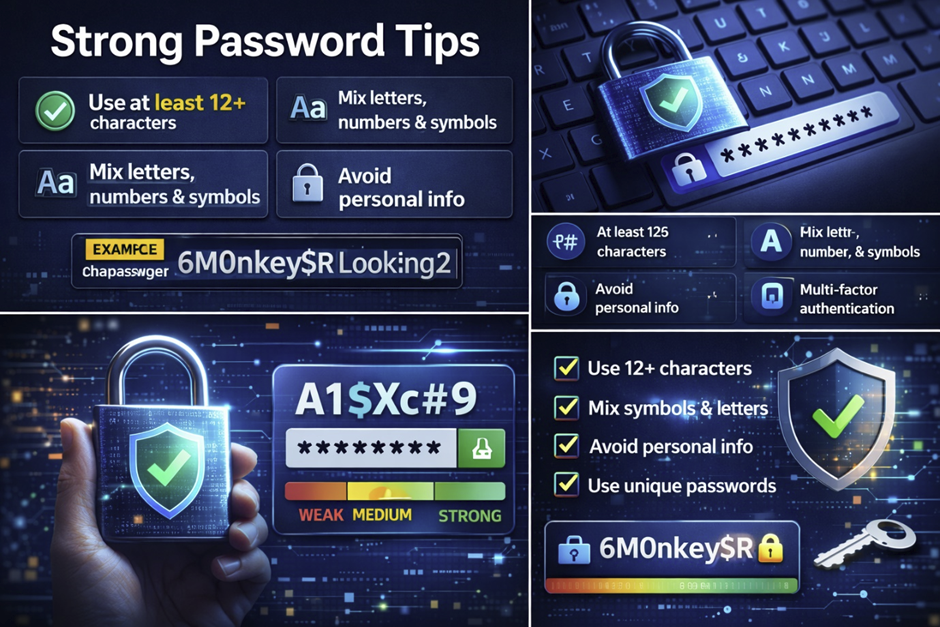
Beyond basic guidelines, several additional practices can further strengthen password security.
Use Random Password Generators
Modern browsers and password managers can automatically generate complex passwords that are nearly impossible to guess.
Use Security Questions Carefully
If websites ask security questions, avoid obvious answers. Instead, use unrelated responses that only you will remember.
Protect Password Storage
Avoid writing passwords on sticky notes or storing them in plain text files on your computer. If you must store them, use encrypted password managers.
Keep Devices Secure
Ensure that your devices running Windows, Linux, MacOS, or Android are updated with the latest security patches. Devices powered by Intel processors and sufficient Ram can run modern security software efficiently.
Security tools powered by Artificial Intelligence are increasingly used to detect suspicious login behavior and protect user accounts.
How Hackers Crack Passwords: Brute Force, AI Attacks, and Modern Cyber Threats
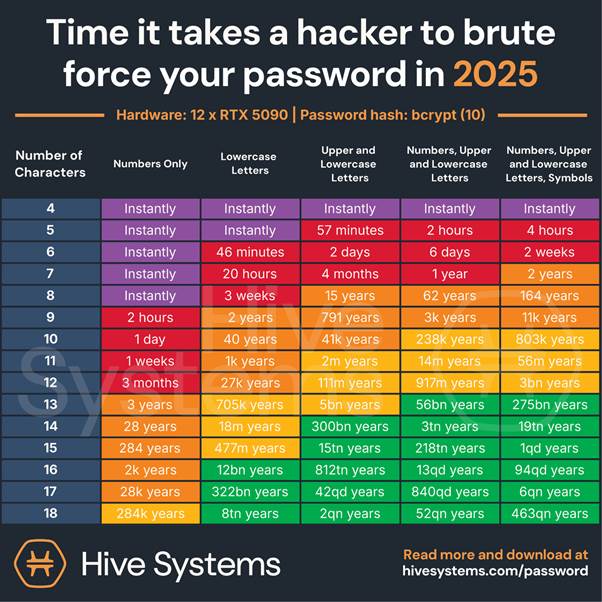
Cybercriminals use a variety of methods to break weak password security. While many users believe hackers manually guess passwords, most attacks are performed using automated tools and powerful computers equipped with modern processors, large amounts of Ram, and advanced algorithms.
Understanding how hackers crack passwords helps users create stronger protection strategies.
Brute Force Attacks
A brute force attack is one of the simplest yet most effective password cracking methods. In this attack, automated software repeatedly tries different combinations of characters until the correct password is found.
These attacks can test millions of combinations per second using powerful systems built with Intel processors and high-performance hardware. Short or simple passwords can often be cracked in minutes or even seconds.
For example, passwords like:
- password123
- admin
- qwerty
can be broken extremely quickly by brute-force tools.
Dictionary Attacks
Another common method is the dictionary attack. Hackers use databases containing thousands or millions of commonly used passwords and words.
Many people still use simple passwords based on:
- names
- birthdays
- common phrases
This makes dictionary attacks very effective.
Credential Stuffing
Credential stuffing occurs when hackers use leaked passwords from one website and attempt to log into other services.
For example, if a password from a small website is leaked, attackers may try that same password on platforms such as Google, Microsoft, Oracle, or online banking systems.
Because many users reuse passwords, this attack often succeeds.
AI-Powered Password Cracking
Modern cybercrime increasingly uses Artificial Intelligence. AI tools can analyze password patterns, learn user behavior, and predict likely password combinations.
These systems can process enormous datasets and test millions of possible password variations much faster than traditional software.
Security companies like IBM, HP, and Microsoft are also using AI-based cybersecurity systems to detect suspicious login attempts and stop attacks before they succeed.
The best defense against these attacks remains the same: long, complex, and unique passwords combined with additional security measures.
Password Managers and Cloud Security
Image search suggestions:
- password manager cybersecurity concept digital vault
- cloud password manager security illustration
- secure password storage encrypted vault technology
- password manager app interface cybersecurity concept
Managing dozens of strong passwords can be difficult. Many people use dozens or even hundreds of online accounts across services such as Google, Microsoft, Android, Linux, and MacOS devices.
This is where password managers become extremely useful.
A password manager is a specialized application designed to securely store and manage passwords. Instead of remembering many passwords, users only need to remember one master password.
How Password Managers Work
Password managers store credentials inside encrypted digital vaults. These vaults protect stored passwords using advanced encryption algorithms similar to those used by large technology companies such as Oracle, IBM, and Microsoft.
When users log into websites, the password manager automatically fills in the saved credentials.
Many password managers also generate strong passwords automatically.
Benefits of Password Managers
Password managers provide several important security benefits:
- Generate complex passwords automatically
- Store passwords securely in encrypted form
- Sync passwords across devices
- Protect accounts from credential reuse
Many modern browsers, including Microsoft Edge and Google Chrome, include built-in password managers.
Cloud-Based Password Management
Many password managers store encrypted credentials in the cloud, allowing users to access their passwords from multiple devices such as laptops, smartphones, and tablets.
Whether you are using Windows, MacOS, Android, or Linux, cloud-based password managers ensure your login credentials remain synchronized.
These services often use secure data centers powered by high-performance hardware with Intel processors and optimized Ram usage to handle millions of encrypted user accounts safely.
Are Password Managers Safe?
Yes, when used correctly. Because passwords are encrypted before being stored in the cloud, even service providers cannot read them.
However, the master password must be extremely strong because it protects access to the entire vault.
For this reason, many password managers also support multi-factor authentication for additional security.
The Future of Passwords: Biometrics, Artificial Intelligence, and Passwordless Login
While passwords remain widely used today, many experts believe the future of authentication will rely less on traditional passwords and more on biometric and AI-powered security systems.
Major technology companies such as Microsoft, Google, IBM, and Intel are actively developing passwordless authentication technologies.
Biometric Authentication
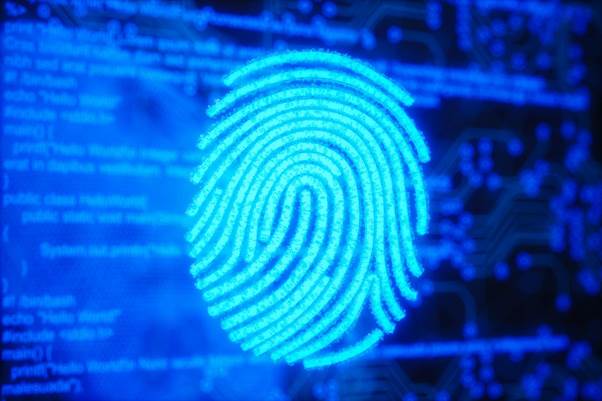
Biometric authentication uses unique biological characteristics to verify identity. These systems are already common on smartphones and modern laptops.
Examples include:
- Fingerprint scanners
- Facial recognition
- Voice recognition
- Retina scanning
Devices running Android, Windows, and MacOS increasingly rely on biometric authentication as a convenient alternative to passwords.
Passwordless Login Systems
Passwordless authentication allows users to sign in without typing a password at all.
Instead, login verification may rely on:
- security keys
- authentication apps
- device verification
- biometric identification
Technologies like Microsoft Windows Hello and Google Passkeys represent major steps toward passwordless security.
Artificial Intelligence in Authentication
Artificial Intelligence is also transforming cybersecurity. AI systems can analyze login behavior patterns to detect suspicious activity.
For example, AI can identify when someone attempts to log in from an unusual location or device.
These systems can automatically block unauthorized login attempts and request additional verification.
Will Passwords Disappear?
Despite advances in biometrics and AI security, passwords will likely remain important for many years. They are simple, widely supported, and easy to implement across systems used for programming, enterprise applications, and secure documents such as encrypted PDF files.
However, the future will likely combine multiple authentication technologies to create stronger, more secure digital identities.