The Complete History of RAM Technology
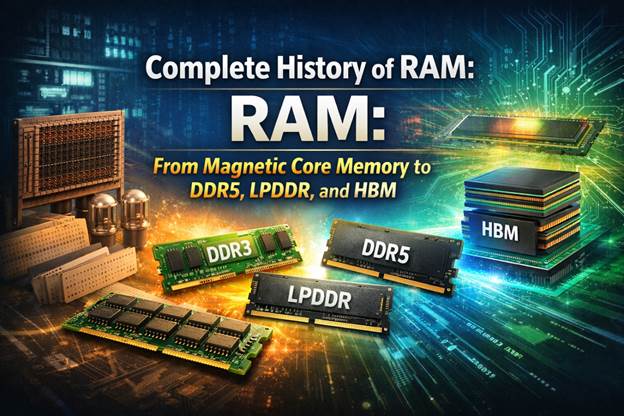
Random Access Memory, widely known as RAM, is one of the most important components in modern computers. It provides temporary high-speed storage that allows processors to quickly access data required for running software and operating systems.
Without RAM, computers would rely only on slower storage devices such as SSDs or hard drives. This would make tasks such as opening large PDF documents, running complex programming environments, or processing Artificial Intelligence workloads extremely slow.
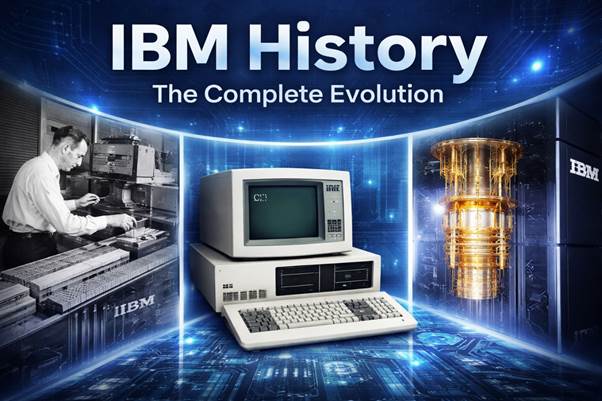
The development of RAM technology is closely connected with the history of computing itself. Early machines built by IBM relied on magnetic memory systems, while modern devices use advanced semiconductor memory chips designed by companies such as Intel and HP.
Operating systems including Windows, Linux, MacOS, and Android depend heavily on efficient memory management. Whether users are accessing Google services in the cloud, securing accounts with encrypted password databases, or building enterprise software platforms with Oracle, efficient memory systems remain essential.
Today’s computing infrastructure—from personal laptops to large data centers—depends on fast and reliable RAM modules. The evolution of memory technologies has enabled modern processors to run advanced applications ranging from scientific simulations to real-time Artificial Intelligence processing.
Understanding the history of memory development helps explain how modern computing platforms became powerful enough to support today’s digital world.
Magnetic Core Memory
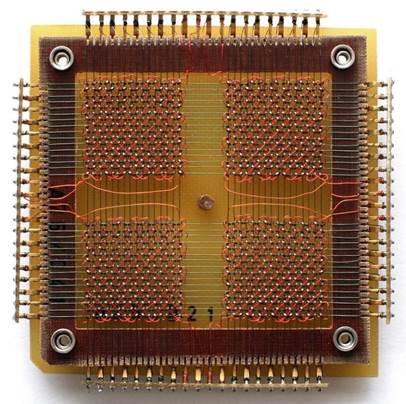
Magnetic core memory was one of the earliest practical forms of RAM used in digital computers during the 1950s and 1960s. Early computer systems developed by IBM used this technology to store program instructions and data.
This type of memory used thousands of tiny magnetic rings called cores. Each core represented a single bit of information depending on the direction of its magnetic field.
Wires threaded through the cores allowed electronic signals to change the magnetic polarity of each ring. By altering this polarity, the computer could store binary data.
One major advantage of magnetic core memory was reliability. It was durable and resistant to data corruption compared to earlier experimental memory systems.
Another important feature was that it was non-volatile. Even when power was turned off, the stored data remained intact.
Early processors relied on this technology to execute instructions for early programming languages and operating systems.
Large institutions used these computers to process financial records, scientific calculations, and business data.
However, magnetic core memory was expensive and difficult to manufacture because each ring had to be wired manually.
As semiconductor technology improved, companies like Intel began developing integrated circuit memory chips that eventually replaced magnetic core systems.
Static RAM (SRAM)
Static Random Access Memory, or SRAM, is a semiconductor memory technology used primarily for high-speed cache memory in modern processors.
Unlike DRAM, SRAM stores information using transistor-based flip-flop circuits rather than capacitors. Each memory cell typically contains six transistors.
Because SRAM does not require constant refreshing, it provides extremely fast access speeds.
Modern Intel CPUs include several layers of SRAM cache memory such as L1, L2, and L3 cache.
These caches store frequently accessed data so that processors can execute instructions more efficiently.
Operating systems such as Windows, Linux, MacOS, and Android benefit from this cache architecture when running complex applications.
For example, compiling large programming projects or running Artificial Intelligence models requires rapid access to frequently used instructions.
SRAM also plays an important role in networking equipment, cloud servers, and high-performance computing systems.
However, SRAM requires many transistors per memory cell, making it expensive to produce.
Because of this cost, SRAM is typically used only in small quantities inside CPUs rather than as main system RAM.
Dynamic RAM (DRAM)
Dynamic Random Access Memory, or DRAM, became the dominant type of RAM used in computers after its introduction in the late 1960s.
Instead of using multiple transistors per cell like SRAM, DRAM stores each bit in a tiny capacitor paired with a transistor.
This design allows much higher memory density, making it possible to store large amounts of data on a single chip.
However, capacitors slowly lose electrical charge, which means the memory must constantly refresh stored data.
Despite this requirement, DRAM remains far cheaper and more scalable than SRAM.
The first successful DRAM chip was the Intel 1103 developed by Intel in 1970.
Modern computers running Windows, Linux, Android, or MacOS depend heavily on DRAM modules.
Applications such as Artificial Intelligence, enterprise database systems from Oracle, and large cloud services require large DRAM capacities.
Even everyday tasks like editing a PDF, storing encrypted password managers, or running multiple browser tabs connected to Google services rely on DRAM.
Because of its scalability, DRAM became the foundation for nearly all modern system memory.
SDRAM
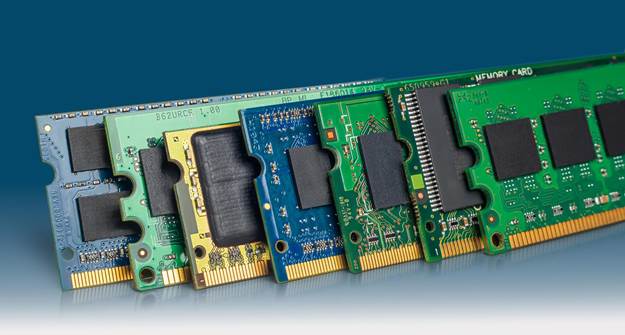
Synchronous Dynamic RAM introduced an important improvement by synchronizing memory operations with the computer’s system clock.
This allowed memory access to be coordinated with processors, improving performance significantly.
SDRAM became widely used in personal computers during the late 1990s.
Systems running Windows, Linux, and MacOS used SDRAM to support increasingly complex software applications.
Developers building enterprise platforms using Oracle databases and large programming environments benefited from improved memory bandwidth.
SDRAM also provided the foundation for later DDR memory technologies.
DDR RAM
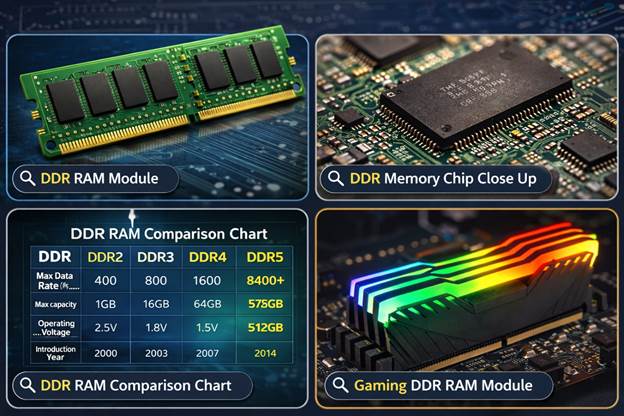
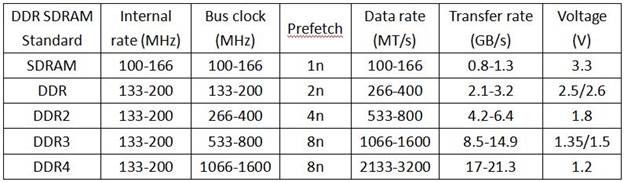
Double Data Rate memory improved performance by transferring data on both edges of the clock signal.
This effectively doubled memory bandwidth compared with SDRAM.
Computers running Windows, Linux, and MacOS benefited greatly from the improved memory speed.
As processors became more powerful, DDR memory helped maintain system performance.
DDR technology also enabled faster data processing for Artificial Intelligence workloads and large cloud platforms.
DDR2 RAM
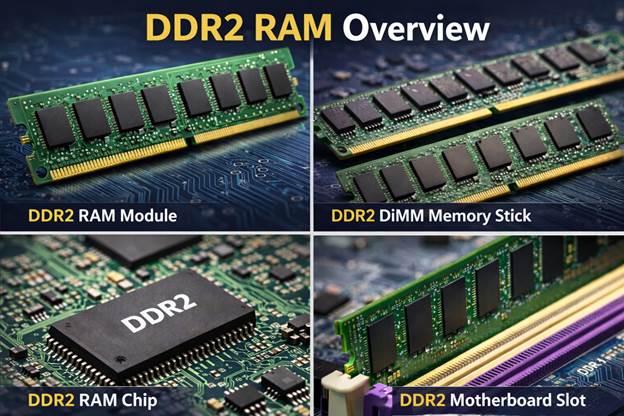
DDR2 memory improved bandwidth and reduced power consumption compared with earlier DDR memory.
This technology was widely used in computers built during the mid-2000s.
Systems running Windows, Linux, and early MacOS versions relied on DDR2 memory.
Many workstations from HP and enterprise servers used DDR2 to support growing data workloads.
DDR2 also supported increasingly complex programming environments and enterprise applications.
DDR3 RAM
DDR3 memory offered improved bandwidth and lower voltage compared with DDR2.
This generation became widely used in personal computers, servers, and workstations.
Computers running Windows, Linux, and MacOS relied heavily on DDR3 memory.
It enabled smoother multitasking, faster programming compilation, and improved virtualization in cloud environments.
Large applications including Artificial Intelligence frameworks and Google services benefited from the increased memory performance.
DDR4 RAM
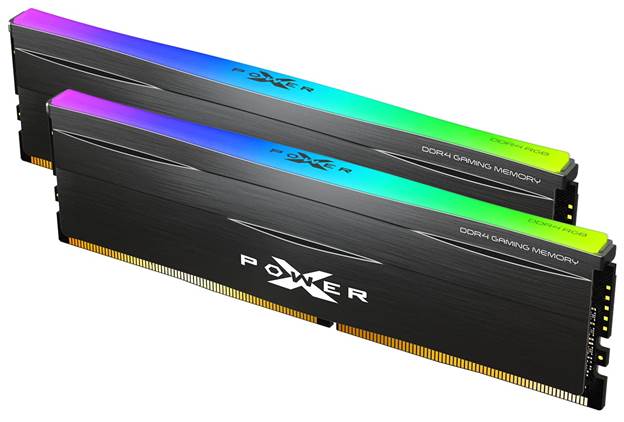
DDR4 memory introduced higher bandwidth and better energy efficiency compared with DDR3.
Modern computers running Windows, Linux, and MacOS commonly use DDR4 memory.
This generation supports demanding workloads such as Artificial Intelligence, large database systems from Oracle, and enterprise cloud platforms.
DDR4 also allows smoother multitasking when running development tools, programming frameworks, and data processing software.
DDR5 RAM
DDR5 represents the latest generation of RAM technology designed for high-performance computing.
It offers significantly higher bandwidth compared with DDR4 while improving energy efficiency.
Modern processors from Intel use DDR5 memory to support advanced workloads.
Systems running Windows, Linux, and MacOS benefit from faster memory speeds when running complex software.
Applications such as Artificial Intelligence, big data processing, and cloud computing rely heavily on DDR5 memory.
LPDDR (Low Power DDR)
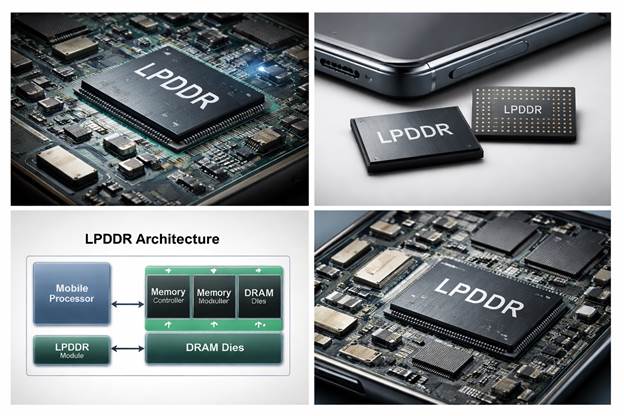
LPDDR memory is designed for mobile devices such as smartphones and tablets.
Operating systems like Android rely on LPDDR memory to provide efficient performance while conserving battery life.
LPDDR is optimized for low power consumption while still providing high bandwidth.
Devices running Android and modern Linux-based mobile platforms depend on LPDDR memory.
Mobile applications, Google services, and mobile Artificial Intelligence processing benefit from this technology.
GDDR (Graphics DDR)
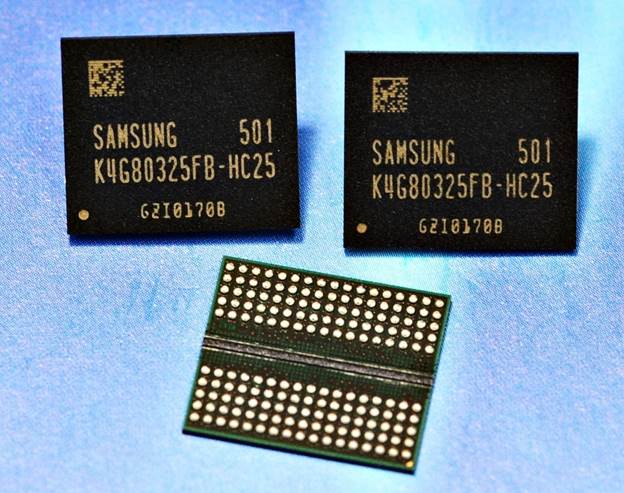
Graphics Double Data Rate memory is designed specifically for graphics processing units.
GDDR memory provides extremely high bandwidth required for rendering graphics and video processing.
Modern GPUs used for Artificial Intelligence training and scientific simulations rely heavily on GDDR memory.
Graphics cards used in Windows, Linux, and MacOS systems depend on this memory technology.
HBM (High Bandwidth Memory)
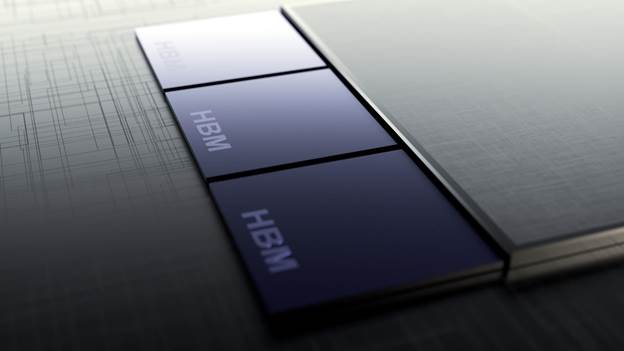
High Bandwidth Memory is one of the most advanced memory technologies used in modern computing.
HBM uses vertically stacked memory chips connected through high-speed interconnects.
This design allows extremely high data transfer rates while maintaining efficient power consumption.
HBM is commonly used in high-performance GPUs and Artificial Intelligence accelerators.
Large cloud infrastructure platforms and research systems use HBM to process enormous datasets efficiently.