Dropbox: Complete Guide to Cloud Storage, File Synchronization, Security, and Collaboration Technology
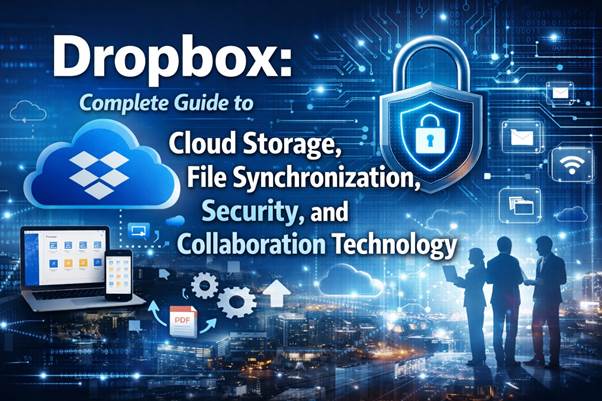
Cloud storage services have transformed how people store, access, and share digital information. Among the most influential services in this space is Dropbox, a platform that pioneered simple file synchronization across devices. By allowing users to automatically sync files between computers, smartphones, and servers, Dropbox helped define the modern cloud storage experience.
Today, Dropbox competes with solutions from Microsoft, Google, and other technology companies, while continuing to evolve with new collaboration features, security improvements, and integration with modern computing platforms such as Windows, Linux, Android, and MacOS.
In this comprehensive guide, we explore the history, technology, features, business model, and future innovations behind Dropbox.
What Is Dropbox and How Cloud Storage Works
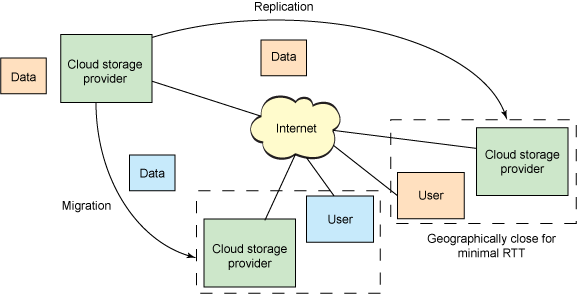
Dropbox is a cloud storage platform that enables users to store files online and synchronize them across multiple devices. The service creates a special folder on a user’s computer, and anything placed inside that folder automatically uploads to the cloud servers operated by Dropbox.
Once uploaded, the files become accessible from other devices such as smartphones, tablets, or additional computers connected to the same account. This allows seamless access to documents, images, videos, and even large PDF files regardless of location.
The platform is designed to support multiple operating systems, including:
- Windows
- MacOS
- Linux
- Android
- iOS
Because of this cross-platform compatibility, Dropbox became one of the most widely used file synchronization services worldwide.
The system works using intelligent file synchronization algorithms. When a user modifies a file, Dropbox uploads only the changed portions instead of transferring the entire file again. This technique dramatically reduces bandwidth usage and improves synchronization speed.
Cloud storage services like Dropbox rely heavily on advanced computing infrastructure powered by modern processors, high-performance RAM, and distributed data centers. These systems ensure that files remain accessible, secure, and quickly retrievable.
Dropbox also integrates with productivity tools and enterprise software platforms such as Microsoft Office, collaboration tools, and third-party applications built using APIs.
With growing demand for remote work and digital collaboration, services like Dropbox play a central role in modern computing ecosystems dominated by companies such as Google, Microsoft, IBM, and Oracle.
History of Dropbox and Its Founders
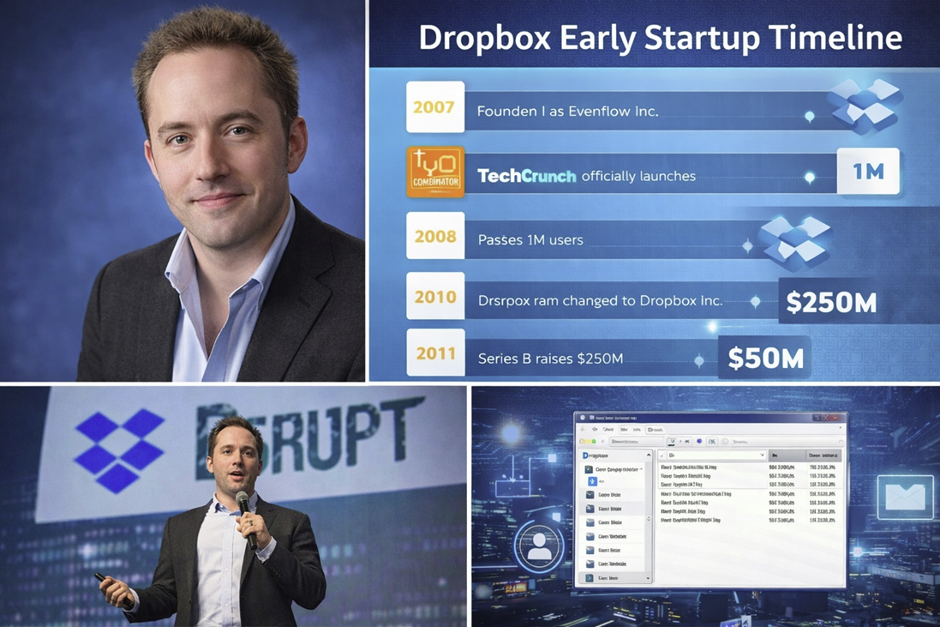
Dropbox was founded in 2007 by Drew Houston and Arash Ferdowsi, two students from the Massachusetts Institute of Technology (MIT). The idea originated when Houston repeatedly forgot to carry his USB flash drive while working on projects.
Instead of relying on physical storage devices, Houston envisioned a system where files would always be accessible from the internet. This idea became the foundation for Dropbox.
Initially, the company operated under the name Evenflow, Inc., before officially adopting the Dropbox name in 2009.
The startup received early funding from Y Combinator, one of the most well-known startup accelerators in Silicon Valley. Early investments allowed the company to build its cloud infrastructure and launch a public version of its service.
Dropbox gained significant attention after presenting its technology at TechCrunch Disrupt, where its simple file synchronization system impressed both investors and developers.
The platform quickly gained popularity because it solved a universal problem: keeping files synchronized between devices.
During the late 2000s and early 2010s, Dropbox experienced explosive user growth:
- 1 million users in 2009
- 50 million users in 2011
- 100 million users in 2012
- over 500 million users by 2016
Today, Dropbox serves hundreds of millions of users worldwide.
As cloud computing became more competitive, companies like Microsoft, Google, and IBM entered the market with their own storage platforms.
Despite the competition, Dropbox remained relevant by focusing on usability, cross-platform compatibility, and collaboration tools.
Dropbox Features and File Synchronization Technology
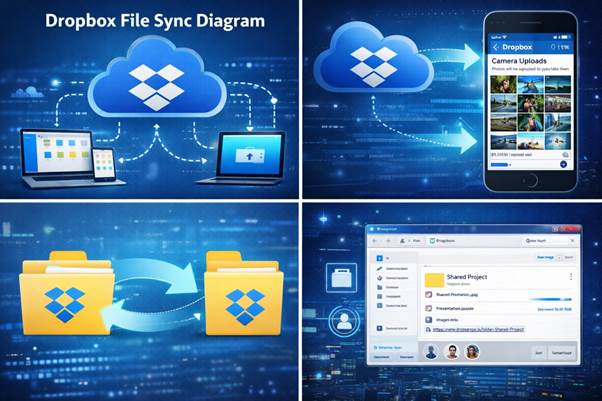
Dropbox provides a wide range of features designed to simplify digital file management and collaboration.
File Synchronization
The most important feature is automatic file synchronization. When a file is updated on one device, the changes automatically appear on all other connected devices.
This system relies on sophisticated algorithms and backend systems written using technologies such as:
- Python
- Go
- Rust
- CoffeeScript
These technologies help ensure reliable synchronization across different platforms including Windows, Linux, MacOS, and Android.
Smart Sync and Selective Sync
Dropbox introduced features such as Smart Sync, allowing users to view all files in the cloud without downloading them to the local device.
This feature helps conserve local storage while still providing quick access to files stored online.
File Recovery and Version History
Users can recover deleted files or restore previous versions of documents. Basic accounts allow recovery for 30 days, while paid subscriptions extend recovery to one year.
This feature is particularly valuable when working with large projects such as software programming, data analysis, or collaborative editing of documents.
Collaboration Tools
Dropbox also introduced collaborative tools such as Dropbox Paper, which allows teams to work together on documents similar to platforms like Google Docs.
These collaboration tools integrate with productivity platforms from Microsoft, Oracle, and enterprise software ecosystems.
Dropbox Security, Encryption, and Privacy

Security is one of the most important aspects of cloud storage systems.
Dropbox protects user data using advanced encryption technologies.
Files transferred between devices and servers are encrypted using SSL connections. Once stored in the cloud, the data is secured using AES-256 encryption, one of the strongest encryption standards available.
Two-Factor Authentication
Dropbox supports two-factor authentication using:
- mobile authentication apps
- SMS verification
- USB security keys
These methods add an extra layer of protection beyond a simple password.
File Access Control
Users can protect shared files with:
- password-protected links
- expiration dates for shared files
- restricted viewing permissions
These features help organizations safely share sensitive documents such as contracts, confidential reports, and large PDF files.
Security Concerns and Improvements
Like many technology platforms, Dropbox has faced security challenges in the past. These incidents encouraged the company to strengthen its infrastructure and improve user protections.
Modern cloud security solutions increasingly rely on advanced analytics and Artificial Intelligence to detect suspicious activity.
Companies such as IBM, Microsoft, and Google are actively developing AI-powered cybersecurity tools that influence modern cloud platforms including Dropbox.
Dropbox Business Model and Pricing Plans
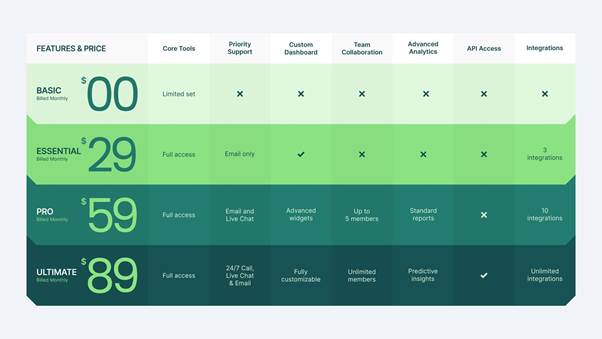
Dropbox operates using a freemium business model, which allows users to access a limited amount of storage for free while offering paid subscription plans with expanded features.
Free Plan (Dropbox Basic)
The free version provides:
- 2 GB of storage
- file synchronization
- basic file sharing
Users can increase their storage through referral programs.
Paid Plans
Paid subscriptions include:
- Dropbox Plus – provides up to 2 TB storage
- Dropbox Business – designed for organizations
- Dropbox Enterprise – advanced corporate solution
Business plans include additional features such as:
- team management tools
- advanced security controls
- administrative dashboards
- unlimited file recovery
These features make Dropbox attractive for companies managing large volumes of data and collaborative workflows.
Many businesses combine Dropbox with enterprise platforms from Oracle, Microsoft, and IBM to manage internal documentation and project files.
Dropbox Technology Infrastructure
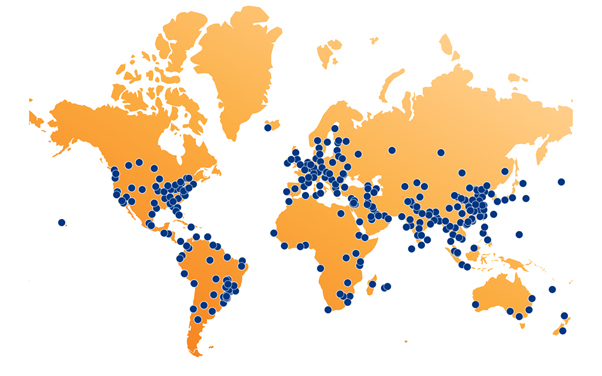
Dropbox relies on a sophisticated cloud infrastructure designed to support millions of simultaneous users.
Originally, the company stored user data using Amazon S3 servers. However, Dropbox later transitioned to its own infrastructure system known as Magic Pocket.
This system allows Dropbox to control its storage architecture and reduce operational costs.
The infrastructure includes:
- distributed storage servers
- high-speed networking systems
- large-scale data centers
These systems use powerful processors and large memory pools of RAM to process billions of file operations daily.
Magic Pocket Storage System
Magic Pocket is a custom-built storage platform designed specifically for Dropbox workloads.
It stores encrypted files across distributed servers and ensures reliable access through redundant storage systems.
Performance Optimization
Dropbox engineers optimize performance using advanced software technologies and programming languages such as:
- Go
- Rust
- Python
These technologies enable scalable systems capable of supporting massive global user bases.
The Role of Dropbox in Modern Cloud Collaboration
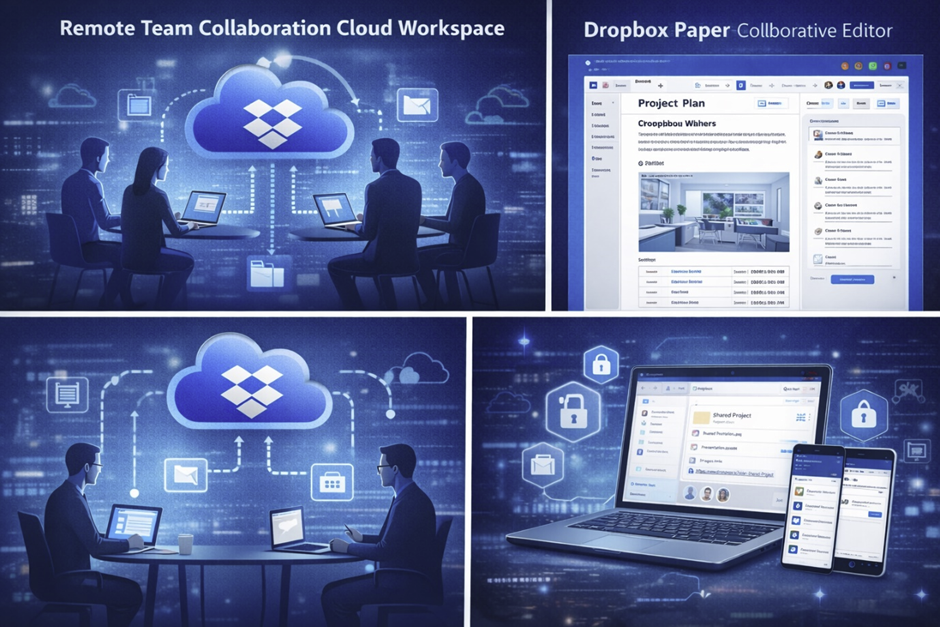
Dropbox has evolved beyond simple file storage to become a collaboration platform used by remote teams worldwide.
The company introduced Dropbox Paper, a collaborative workspace designed for document editing and project coordination.
Dropbox Paper allows teams to:
- create documents
- embed multimedia content
- manage tasks
- collaborate in real time
This makes it similar to collaboration tools from Google and Microsoft.
Integration with Productivity Platforms
Dropbox integrates with many productivity platforms, including:
- Microsoft Office
- Google Workspace
- project management software
- enterprise collaboration systems
These integrations allow teams to maintain consistent workflows across multiple platforms.
Remote Work and Cloud Tools
The rise of remote work accelerated the adoption of cloud collaboration platforms.
Dropbox introduced its Virtual First workplace strategy, enabling employees to work remotely while relying on digital collaboration tools.
Cloud technologies powered by companies like IBM, Oracle, Google, and Microsoft continue to drive innovation in remote productivity systems.