Antivirus Software: Why We Need It, How It Works, and the Evolution of Digital Protection
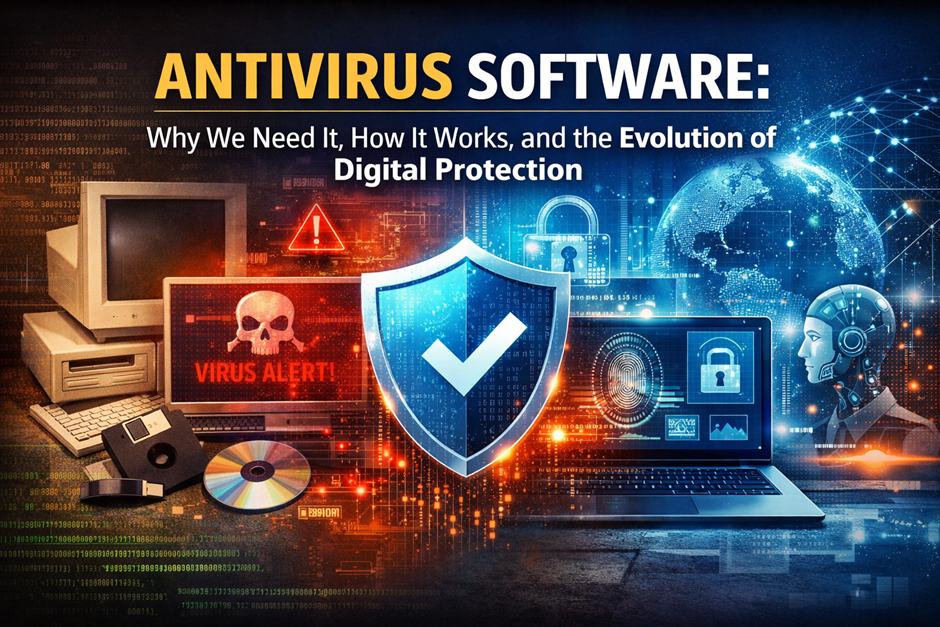
In today’s digital world, where programming and coding power everything from mobile apps to enterprise systems, cybersecurity has become essential. Every device—whether running Windows, Linux, or MacOS—faces constant threats from malicious software.
From early experiments on IBM machines using floppy disks to modern attacks targeting cloud infrastructure, the evolution of cyber threats has been rapid. Companies like Microsoft, Intel, and Oracle have played a major role in building secure ecosystems, but threats continue to grow.
Antivirus software acts as a protective layer between your device and harmful programs. Whether you are doing web development, managing servers through system administration, or simply browsing the internet, protection is no longer optional.
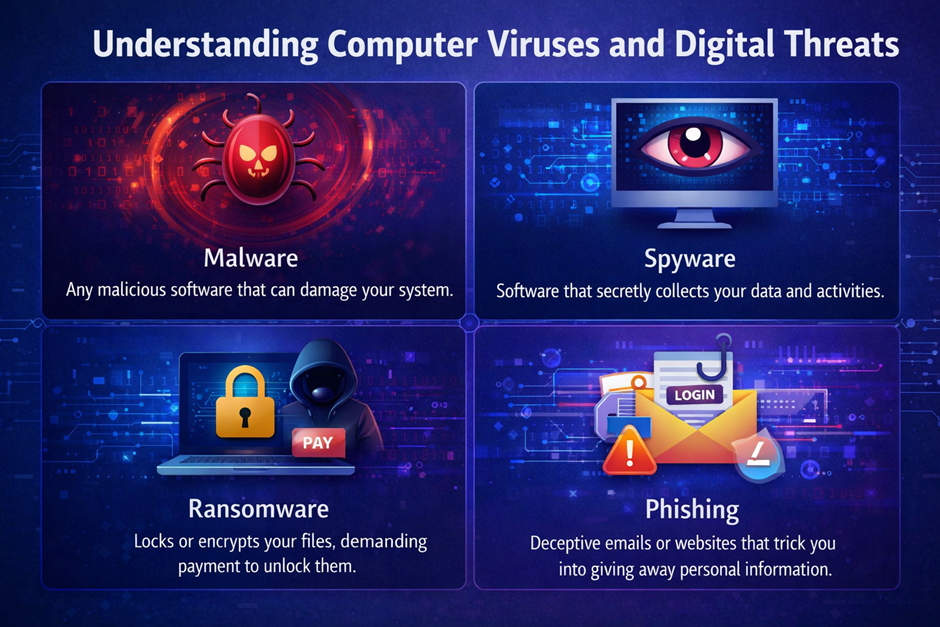
Understanding Computer Viruses and Digital Threats
What Is a Computer Virus?
A virus is a malicious program designed to spread across systems, often attaching itself to legitimate files. It can corrupt data, slow down processors, and even damage hardware performance by overloading CPU and ram resources.
History of Computer Viruses
Early viruses spread via floppy disks, later evolving to infect systems through email and USB drives. As companies like IBM and Microsoft expanded computing globally, malware also grew in complexity.
Types of Malware
- Viruses
- Worms
- Trojans
- Ransomware
- Spyware
How Viruses Spread
Viruses commonly spread through:
- Downloads from untrusted websites
- Email attachments
- External devices like USB drives
- Fake PDF files
Impact of Viruses
- Data loss
- Compromised password security
- System crashes
- Financial damage
Why Antivirus Software Is Essential Today
Rising Cyber Threat Landscape
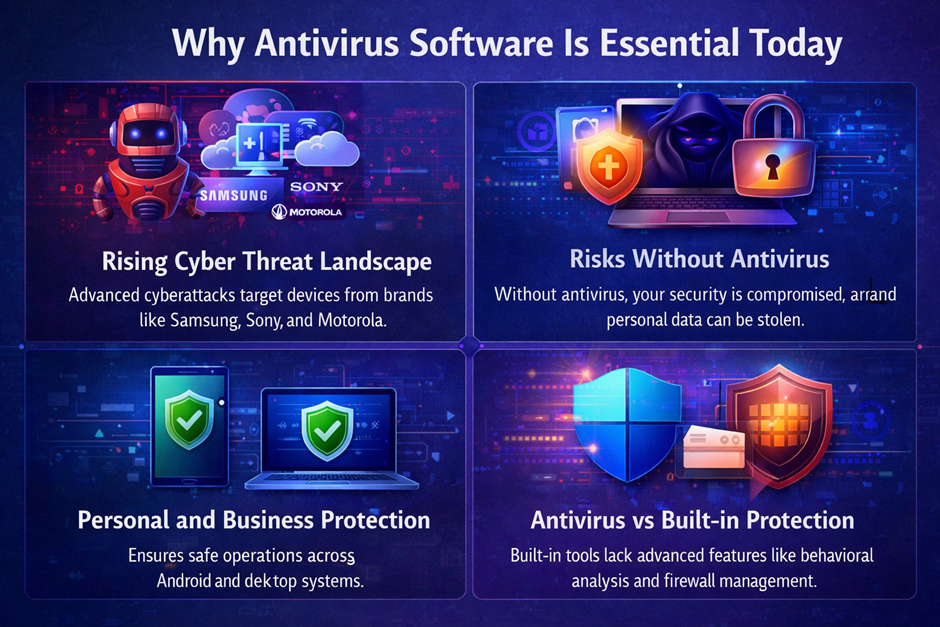
With the rise of cloud computing and Artificial Intelligence, cyberattacks have become more advanced and harder to detect. Modern hackers use automated tools, botnets, and AI-driven techniques to exploit vulnerabilities faster than ever before. Devices from brands like Samsung, Sony, and Motorola are also frequent targets, especially as mobile usage continues to grow. Cybercriminals no longer focus only on large corporations; individual users are equally at risk. Malware can spread through apps, downloads, and even trusted websites. As more services move online, the attack surface continues to expand significantly. This makes strong antivirus protection essential for both personal and professional environments. Without it, users are exposed to constantly evolving threats.
Risks Without Antivirus
Without proper antivirus protection, your system becomes highly vulnerable to multiple types of cyber threats. Your overall security is compromised, making it easier for hackers to access your files and personal information. Sensitive data such as login credentials and financial details can be stolen without your knowledge. Malware infections can slow down your system, damage files, or even make your device unusable. In some cases, attackers can gain remote access and control your computer completely. This can lead to serious consequences, especially in environments involving system administration or business operations. Additionally, infected systems can spread malware to other connected devices. Overall, the risks of not using antivirus software are significant and can lead to long-term damage.
Personal and Business Protection
Whether you are using Android devices or desktop systems like Windows or MacOS, antivirus ensures safe operations across all platforms. It protects personal data such as photos, documents, and saved credentials from unauthorized access. For businesses, antivirus plays a critical role in securing sensitive data and maintaining operational continuity. It helps prevent data breaches that could damage reputation and lead to financial losses. Professionals working in areas like web development or programming rely on secure systems to protect their projects and code. Antivirus software also helps detect threats in real time, reducing the chance of system compromise. With the increasing use of connected devices, protection across all endpoints is essential. Overall, antivirus acts as a reliable safeguard for both individuals and organizations.
Antivirus vs Built-in Protection
Built-in tools like Microsoft Defender provide a basic level of protection and are a good starting point for users. However, they often lack the advanced features found in dedicated antivirus solutions. Premium antivirus software includes tools such as advanced firewall management, behavior monitoring, and ransomware protection. These features provide deeper analysis and better detection of complex threats. Built-in solutions may not always keep up with rapidly evolving malware techniques. Dedicated antivirus programs also offer additional layers like secure browsing and email protection. For users handling sensitive data or working in professional environments, relying solely on basic protection may not be sufficient. Combining built-in tools with advanced antivirus software provides a more complete and effective security strategy.
How Antivirus Software Works
Signature-Based Detection
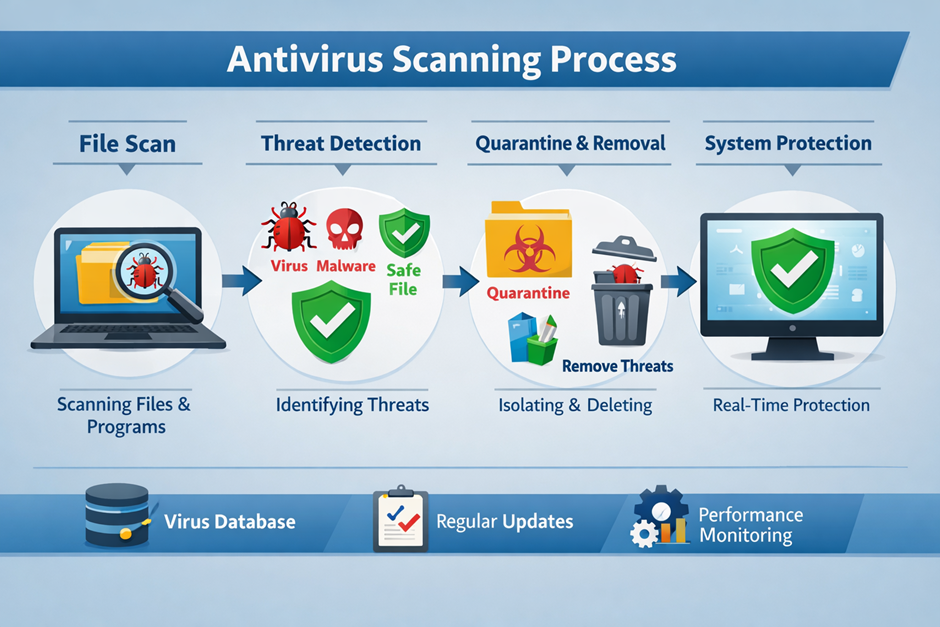
Signature-based detection is one of the oldest and most reliable methods used in antivirus software. It works by comparing files and programs against a database of known malware signatures. Each virus has a unique digital fingerprint, which allows the antivirus to identify and block it quickly. This method is highly effective for detecting previously identified threats and widespread malware. Antivirus companies continuously update their signature databases to keep up with new threats. However, this approach is limited when dealing with unknown or newly created malware. It relies heavily on frequent updates to remain effective. Despite its limitations, it remains a foundational layer in modern antivirus systems.
Heuristic Analysis
Heuristic analysis is designed to detect new and unknown threats by analyzing behavior rather than relying only on known signatures. It examines how programs interact with the system, looking for suspicious actions such as unauthorized file access or system modifications. This method helps identify malware that has not yet been added to signature databases. Advanced heuristic engines use complex algorithms to evaluate potential risks in real time. It is especially useful against evolving threats and polymorphic malware that constantly changes its code. While highly effective, heuristic detection may sometimes produce false positives. Modern antivirus tools refine this process using Artificial Intelligence to improve accuracy. Overall, heuristic analysis adds a proactive layer of security.
Real-Time Protection
Real-time protection continuously monitors system activity to detect and block threats instantly. It scans files as they are opened, downloaded, or executed, preventing malware from gaining access to the system. This feature works silently in the background, ensuring uninterrupted user experience. It is especially important for activities like browsing, downloading files, or installing applications. Real-time protection can stop threats before they execute, reducing potential damage. It also monitors system processes for unusual behavior patterns. This makes it a critical component in any modern antivirus solution. Without real-time protection, systems remain vulnerable between manual scans.
Cloud-Based Detection
Cloud-based detection uses remote cloud servers to analyze files and identify threats more efficiently. Instead of relying solely on local databases, antivirus software sends suspicious data to cloud systems for deeper analysis. This allows faster detection of emerging threats across global networks. It also reduces the load on local hardware such as CPU and ram, improving system performance. Cloud-based systems are constantly updated with the latest threat intelligence. This ensures users benefit from real-time protection without needing frequent manual updates. It is particularly useful in enterprise environments and large-scale system administration. Overall, cloud integration enhances both speed and accuracy in threat detection.
AI and Machine Learning
AI and machine learning have revolutionized how antivirus software detects and prevents threats. Powered by Artificial Intelligence, modern systems can analyze patterns and predict malicious behavior before it causes harm. Unlike traditional methods, AI does not rely solely on known signatures, making it effective against zero-day attacks. Machine learning models improve over time by learning from new data and attack patterns. This enables faster and more accurate threat detection. AI also helps reduce false positives by better understanding normal system behavior. Many leading cybersecurity companies are investing heavily in AI-driven solutions. As threats become more complex, AI will play an even greater role in future security systems.
Quarantine and Removal
Quarantine and removal features ensure that detected threats are safely handled without affecting the rest of the system. When malware is identified, it is isolated in a secure location where it cannot execute or spread. This prevents further damage while allowing users to review the threat. Antivirus software then provides options to delete, repair, or restore the affected files. Quarantine is especially useful when dealing with suspicious files that may not be confirmed threats. It adds an extra layer of control and safety during the detection process. Proper removal ensures that no hidden components of the malware remain active. This feature is essential for maintaining long-term system stability and security.
Key Features of Modern Antivirus Software
Real-Time Protection
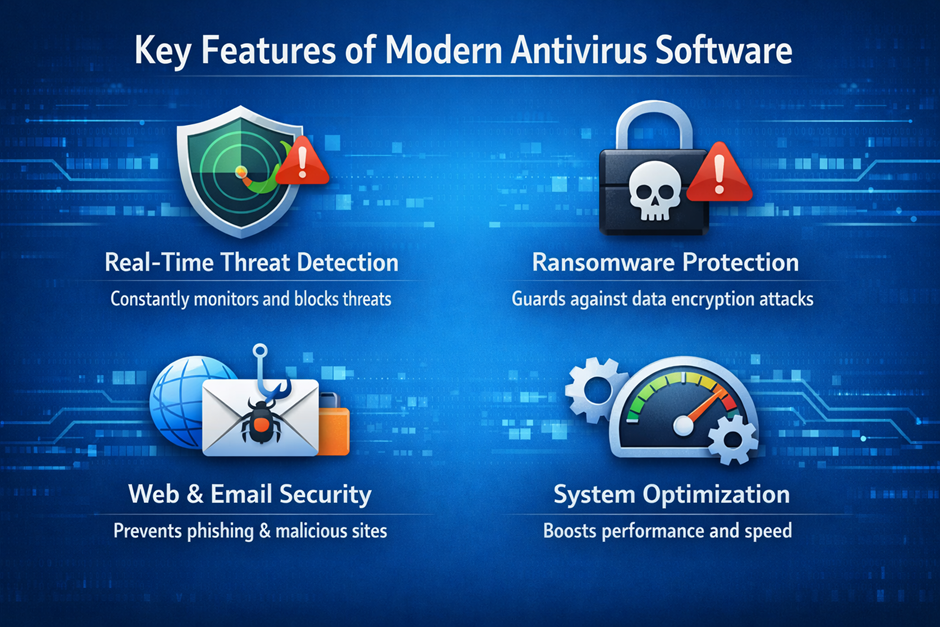
Real-time protection is one of the most critical features of modern antivirus software, designed to detect and stop threats instantly before they can harm your system. It continuously monitors files, applications, and background processes, ensuring that malicious activity is identified as soon as it appears. This feature works silently in the background, providing constant security without interrupting normal usage. Advanced solutions use behavior-based detection and Artificial Intelligence to recognize suspicious patterns even if the threat is new. Real-time scanning is especially important when downloading files, opening email attachments, or browsing the web. Without it, even a single click on an infected file could allow a virus to spread across your system. Overall, it acts as your first and most active defense layer.
Firewall Integration
Firewall integration adds an additional layer of security by controlling incoming and outgoing network traffic. Modern antivirus tools include advanced firewell systems that monitor connections and block unauthorized access attempts. This is especially important for users connected to public or unsecured networks, where threats are more common. A firewall works by analyzing data packets and deciding whether they should be allowed or denied based on predefined rules. It helps prevent hackers from accessing your system remotely and protects sensitive information such as your password and personal data. Integrated firewalls also work alongside antivirus engines to provide a more comprehensive protection system. Together, they create a strong barrier against both external and internal threats.
Web Protection
Web protection safeguards users while browsing the internet by blocking access to dangerous or infected websites. It scans URLs in real time and warns users before they enter malicious pages designed to steal data. Many cybercriminals create fake websites that imitate trusted platforms like Google to trick users into entering login credentials. Antivirus software detects these threats and prevents access before damage occurs. This feature is particularly useful for people involved in web development or frequent online research. It also blocks harmful downloads and scripts that may attempt to install malware automatically. By filtering unsafe content, web protection ensures a safer and more secure browsing experience.
Email Security
Email security is essential because email remains one of the most common ways malware spreads. Antivirus software scans incoming and outgoing messages to detect malicious attachments and phishing attempts. These phishing emails often appear legitimate and attempt to trick users into revealing sensitive information like login credentials or financial data. Advanced antivirus solutions analyze both the content and behavior of emails to identify threats. This feature is especially important for businesses and professionals working in system administration or handling sensitive data. It also blocks spam and suspicious links that may contain hidden malware. By securing email communication, antivirus software significantly reduces the risk of cyberattacks.
Ransomware Protection
Ransomware protection is designed to prevent one of the most dangerous types of malware attacks. Ransomware encrypts files and demands payment for their release, often causing serious financial and data loss. Modern antivirus software uses behavior monitoring and Artificial Intelligence to detect ransomware activity before it completes encryption. It also creates secure backups and protects important folders from unauthorized changes. This feature is crucial for both individuals and organizations that store sensitive information on their systems. Once a ransomware attack succeeds, recovery can be extremely difficult or even impossible without backups. With strong ransomware protection, users can safeguard their data and avoid costly disruptions.
Evolution of Antivirus Software
Early Days
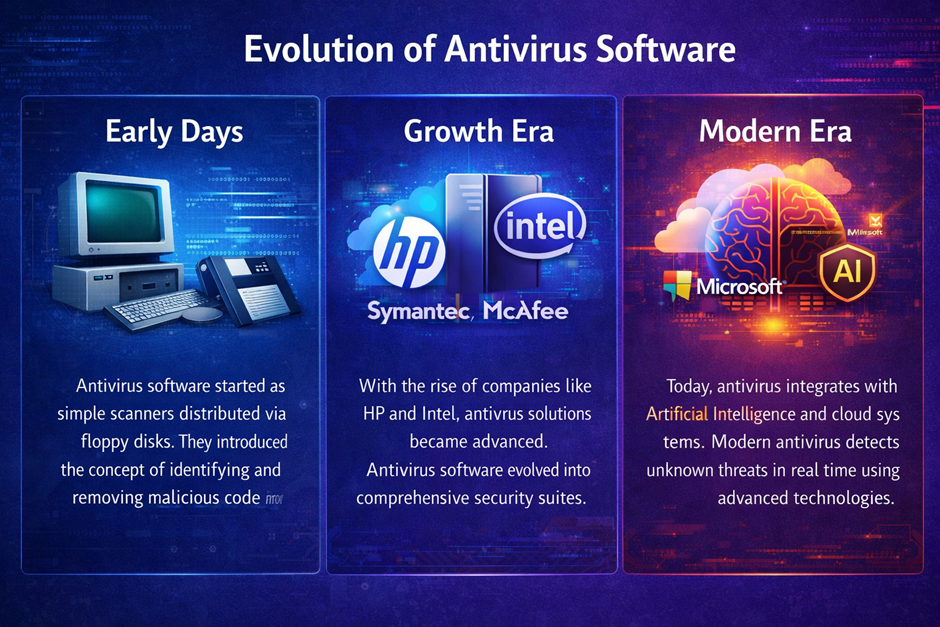
Antivirus software started as simple scanners distributed via floppy disks during the early days of personal computing. These early tools were designed to detect a limited number of known threats using basic signature-based methods. As computers from companies like IBM became more widespread, the need for protection against malicious programs increased. Early viruses spread mainly through physical media, making manual scanning essential. Users often had to run antivirus tools manually, as real-time protection did not yet exist. Updates were infrequent and required reinstalling newer versions of the software. Despite these limitations, early antivirus solutions laid the foundation for modern cybersecurity practices. They introduced the core concept of identifying and removing malicious code from systems.
Growth Era
During the late 1990s and early 2000s, antivirus software entered a rapid growth phase driven by the expansion of the internet. As operating systems like Windows became dominant, cyber threats increased significantly in both volume and complexity. Antivirus companies began developing more advanced detection techniques, including heuristic analysis and real-time scanning. This period saw the rise of major cybersecurity firms such as Symantec, McAfee, and Kaspersky. Hardware companies like Intel contributed indirectly by improving processors, enabling faster scanning and better performance of security software. At the same time, enterprise environments required more scalable solutions for network protection and system administration. Antivirus software evolved from simple tools into comprehensive security suites. This era marked the transition toward proactive and automated protection systems.
Modern Era
Today, antivirus software integrates advanced technologies such as Artificial Intelligence and cloud computing to provide highly efficient protection. Modern solutions can detect unknown threats in real time using behavior analysis and machine learning algorithms. Unlike earlier versions, they operate continuously in the background with minimal impact on system performance. Integration with cloud systems allows instant access to global threat intelligence databases. Antivirus tools now protect not only desktops but also mobile devices, servers, and IoT systems. Companies like Microsoft have integrated security directly into operating systems, while specialized vendors offer multi-layered protection platforms. Features such as ransomware defense, secure browsing, and identity protection are now standard. Overall, modern antivirus software has evolved into a comprehensive cybersecurity ecosystem rather than a simple scanning tool.
Famous and Modern Antivirus Software
Classic Antivirus Solutions
McAfee Antivirus
Founded in 1987 by John McAfee, this was one of the first commercial antivirus products. It became widely used in enterprise environments and helped shape early cybersecurity practices. McAfee focused heavily on signature-based detection during its early years. Over time, it expanded into cloud security and endpoint protection. The company became a major player after being acquired by Intel (2011) and later spun off again. McAfee introduced real-time scanning features early compared to competitors. It has been widely deployed across corporate networks globally. Today, it offers comprehensive protection suites including identity theft monitoring. Despite competition, McAfee remains a recognized legacy brand in cybersecurity. Its long history gives it strong credibility in enterprise environments.
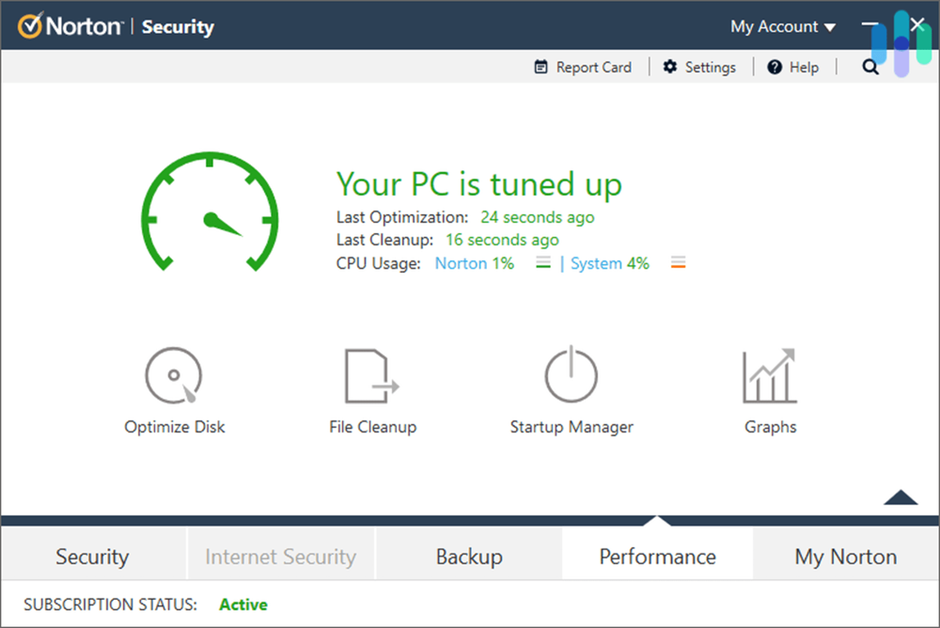
Norton Antivirus
Developed by Symantec (founded 1982 by Gary Hendrix), Norton became one of the most recognized antivirus brands. It gained popularity in the early 2000s due to strong malware detection capabilities. Norton introduced advanced heuristic scanning techniques. It later evolved into NortonLifeLock, focusing on identity protection. The software includes VPN, password manager, and dark web monitoring. Norton consistently ranks high in independent security tests. Its user-friendly interface makes it popular among home users. Over decades, it has adapted to modern threats effectively. Norton’s reputation is built on reliability and strong performance.
Kaspersky Antivirus
Founded in 1997 by Eugene Kaspersky, this antivirus became known for high detection rates. Kaspersky uses advanced heuristic and behavioral analysis. It quickly gained global recognition for identifying complex threats. The company has contributed significantly to cybersecurity research. It offers enterprise and home solutions. Kaspersky’s threat intelligence network is highly respected. Despite geopolitical controversies, its technical performance remains strong. It provides multi-layered protection including anti-phishing tools. Kaspersky is often ranked among top antivirus solutions worldwide.
Modern Antivirus Solutions
Bitdefender Antivirus
Bitdefender uses Artificial Intelligence for advanced threat detection. It is lightweight and efficient, making it suitable for modern devices. It supports systems with limited ram while maintaining high performance.
ESET NOD32
ESET is known for fast performance and minimal system impact. It is ideal for developers working with Python or other programming languages. It ensures smooth operation without slowing down systems.
Windows Defender
Built into Microsoft Windows, Defender provides basic protection. It integrates deeply with system-level security. It is commonly used on devices from brands like HP and other manufacturers.
Malwarebytes
Specialized in removing advanced malware, Malwarebytes is often used alongside other antivirus tools. It is effective against hidden threats and works well with modern systems.
Trend Micro Antivirus
Trend Micro focuses on enterprise-level protection. It provides strong cloud-based security and is widely used in corporate environments.
Free vs Paid Antivirus Software (H2)
Free Antivirus
Free antivirus software provides basic protection against common threats such as malware, spyware, and simple viruses. It is a good starting point for users who need essential security without spending money. Most free solutions include real-time scanning, but their detection capabilities are often limited compared to premium tools. They may lack advanced features like ransomware protection, firewall management, and secure browsing tools. Free antivirus programs are commonly used on personal devices with low-risk usage patterns. However, they often rely on advertisements or upselling to encourage users to upgrade. Updates may also be less frequent, which can leave systems vulnerable to newer threats. Overall, free antivirus is suitable for basic protection but not for complete cybersecurity.
Paid Antivirus
Paid antivirus software offers comprehensive protection designed for both individuals and businesses. It includes advanced features such as VPN services, identity protection, and enhanced firewall systems. These tools provide deeper scanning capabilities and use technologies like Artificial Intelligence to detect unknown threats. Paid solutions often include multi-device support, allowing users to protect computers, smartphones, and tablets under one subscription. They also offer better customer support and frequent updates to stay ahead of evolving cyber threats. Many premium antivirus programs include additional tools like password managers and secure browsing features. This makes them ideal for users handling sensitive data or working in environments like system administration or web development. Overall, paid antivirus provides a more complete and reliable security solution.
Which One to Choose?
Choosing between free and paid antivirus depends on your needs, usage habits, and risk level. If you use your device mainly for basic tasks like browsing or watching videos, free antivirus may be sufficient. However, if you store important files, use online banking, or manage business data, a paid solution is strongly recommended. Paid antivirus provides multiple layers of security, reducing the risk of data breaches and financial loss. It also offers proactive protection against advanced threats like ransomware and phishing attacks. Users working with sensitive information or professional tools benefit significantly from premium features. Additionally, paid solutions often run more efficiently and include optimization tools that improve system performance. In most cases, investing in paid antivirus is the safer and more future-proof choice.
Best Practices for Staying Protected
Keep Software Updated
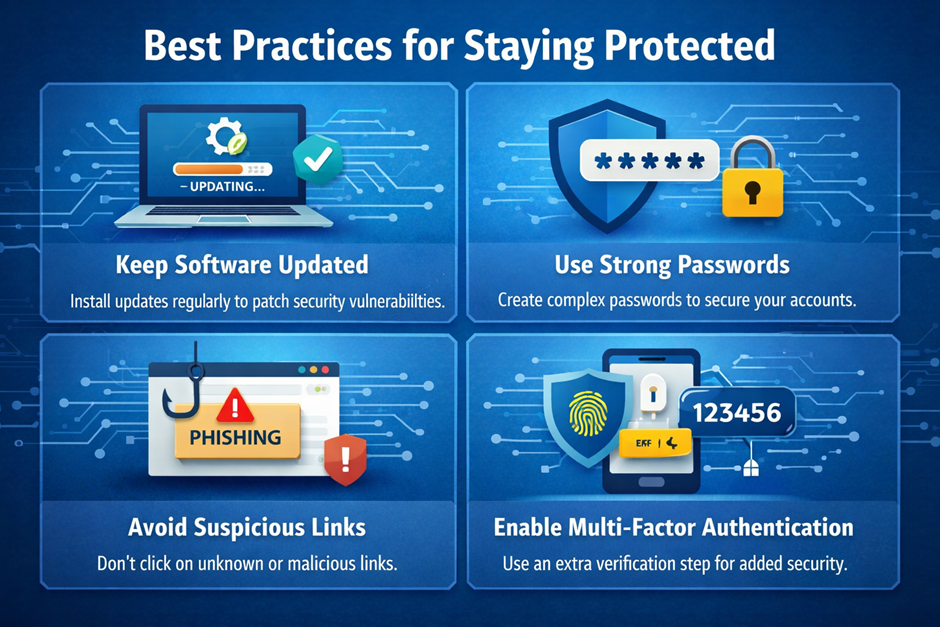
Keeping your software updated is one of the simplest yet most effective ways to maintain strong security. Software updates often include patches for newly discovered vulnerabilities that hackers actively exploit. Operating systems like Windows, Linux, and MacOS regularly release updates to improve stability and fix security flaws. Antivirus programs also rely on frequent updates to recognize the latest threats and malware signatures. Ignoring updates can leave your system exposed to attacks that are otherwise easily preventable. This is especially important for applications used in web development or system administration, where outdated tools can create serious risks. Automatic updates are recommended to ensure you never miss critical fixes. Overall, staying updated significantly reduces the chances of a successful cyberattack.
Use Strong Passwords
Using strong passwords is essential for protecting your personal and professional accounts from unauthorized access. A strong password should include a combination of uppercase and lowercase letters, numbers, and special characters. Weak passwords are one of the most common causes of data breaches and account takeovers. Many modern antivirus tools and browsers now offer built-in password managers to help generate and store secure credentials. It is also important to avoid using the same password across multiple platforms. Changing passwords regularly adds another layer of protection against potential threats. For users working with sensitive data or cloud services, strong password practices are critical. Overall, a well-managed password strategy greatly enhances your digital security.
Avoid Suspicious Links
Avoiding suspicious links is a key habit in preventing malware infections and phishing attacks. Cybercriminals often disguise harmful links as legitimate ones, sometimes mimicking trusted platforms like Google or popular services. Clicking on such links can lead to malicious downloads or fake login pages designed to steal your information. Antivirus software with web protection features can help detect and block these threats. However, user awareness remains the most important defense. Always verify the source of emails and messages before clicking any link. This is especially important when dealing with attachments like PDF files or unknown downloads. By staying cautious, you can significantly reduce the risk of falling victim to online scams.
Enable Multi-Factor Authentication
Multi-Factor Authentication (MFA) adds an extra layer of security beyond just a password. It requires users to verify their identity using additional methods, such as a mobile code or biometric scan. Even if a hacker manages to steal your password, they cannot access your account without the second verification step. MFA is widely used across platforms including Google, banking services, and cloud-based applications. It is particularly important for accounts containing sensitive or financial information. Many modern systems and antivirus tools recommend enabling MFA as a standard practice. It significantly reduces the risk of unauthorized access and data breaches. Overall, MFA is one of the most effective ways to strengthen account security.
Future of Antivirus and Cybersecurity
AI-Driven Security
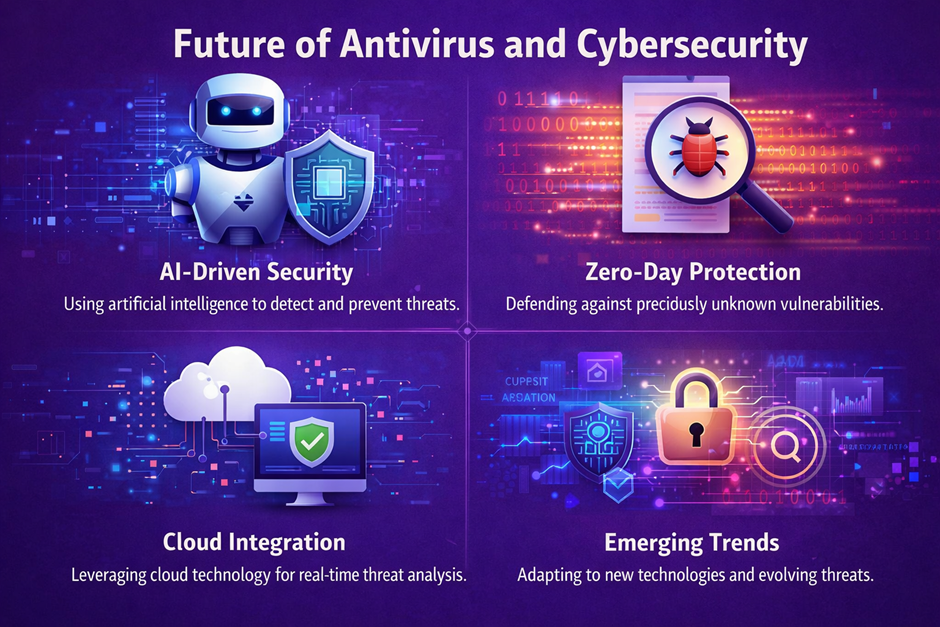
AI-driven security is transforming how antivirus software detects and prevents threats. By using Artificial Intelligence, modern systems can analyze vast amounts of data and identify patterns associated with malicious behavior. Unlike traditional methods, AI can detect previously unknown threats without relying solely on signature databases. This allows faster and more accurate responses to emerging cyber risks. Many leading cybersecurity companies are investing heavily in AI technologies to stay ahead of attackers. AI also helps reduce false positives, improving user experience and system efficiency. It is especially useful in complex environments involving programming and large-scale infrastructure. In the future, AI will become a core component of all advanced security systems.
Zero-Day Protection
Zero-day protection focuses on defending against vulnerabilities that are unknown to software developers and security experts. These attacks are particularly dangerous because there are no existing patches or fixes available at the time of exploitation. Modern antivirus solutions use heuristic analysis and behavior monitoring to detect such threats. This proactive approach allows systems to block suspicious activity before it causes damage. Zero-day attacks often target critical infrastructure, businesses, and high-value data systems. As cyber threats become more advanced, zero-day protection is becoming increasingly important. It is a key feature in premium antivirus solutions designed for high-level security needs. Strong zero-day defense ensures better protection against unpredictable threats.
Cloud Integration
Cloud integration has become a major advancement in modern antivirus technology. By using cloud databases, antivirus software can access real-time threat intelligence from around the world. This allows faster detection and response to new malware outbreaks. Cloud-based systems also reduce the load on local hardware like CPU and ram, improving performance. Many companies now rely on cloud security solutions to protect distributed networks and remote workers. Integration with cloud services also enables automatic updates and centralized management. This is especially useful for businesses and environments involving large-scale system administration. Overall, cloud integration enhances both efficiency and protection.
Emerging Trends
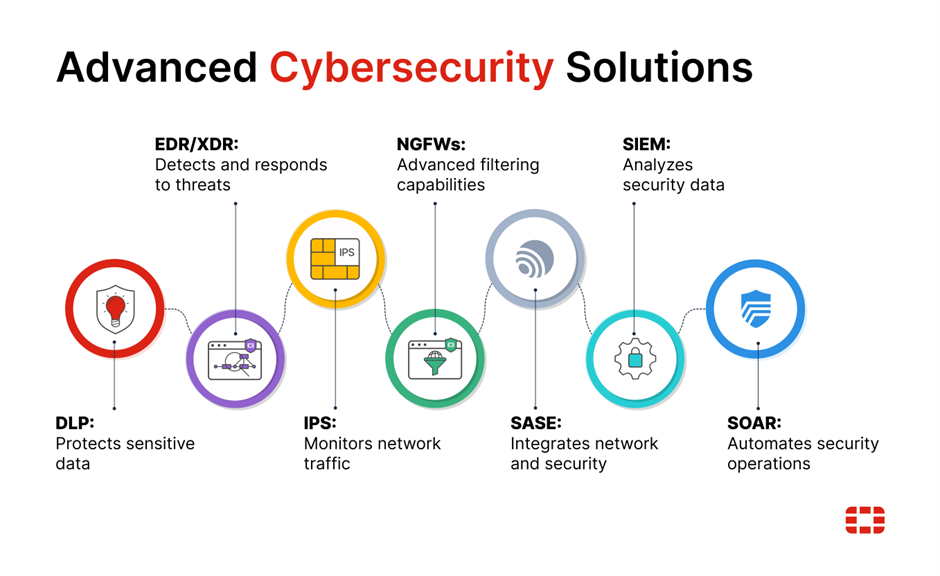
The cybersecurity landscape continues to evolve with new technologies and challenges. One major trend is the integration of antivirus with broader security ecosystems, including endpoint detection and response systems. Another trend is the growing importance of protecting mobile devices running Android and other platforms. As more devices connect to the internet, the attack surface continues to expand. Quantum computing and advanced encryption methods are also expected to influence future security strategies. Companies like Microsoft and Oracle are investing in next-generation security technologies. Automation and AI-driven responses will play a larger role in threat mitigation. Overall, staying informed about emerging trends is essential for maintaining strong digital security in the future.